
AI assistant
An assistant that works on WhatsApp and on your site
A customer who writes after you close does not wait for the morning: the assistant answers the question, takes the order, writes down the appointment. Where it is not sure, it calls you.
Try the assistant now
This is not a picture, it is the working assistant itself. Write what you want to the assistant of a sample boutique and see how it answers.
How to try it?
- In the chat on the phone, tap a question or write your own.
- The assistant answers within seconds: product, size, stock, shipping.
- Place an order, then open the business panel: your order is there, on the business's screen.
This is a sample shop; no order or payment is actually made. Do not write personal information: others trying the demo can also see what you write.
After the chat
Business panel
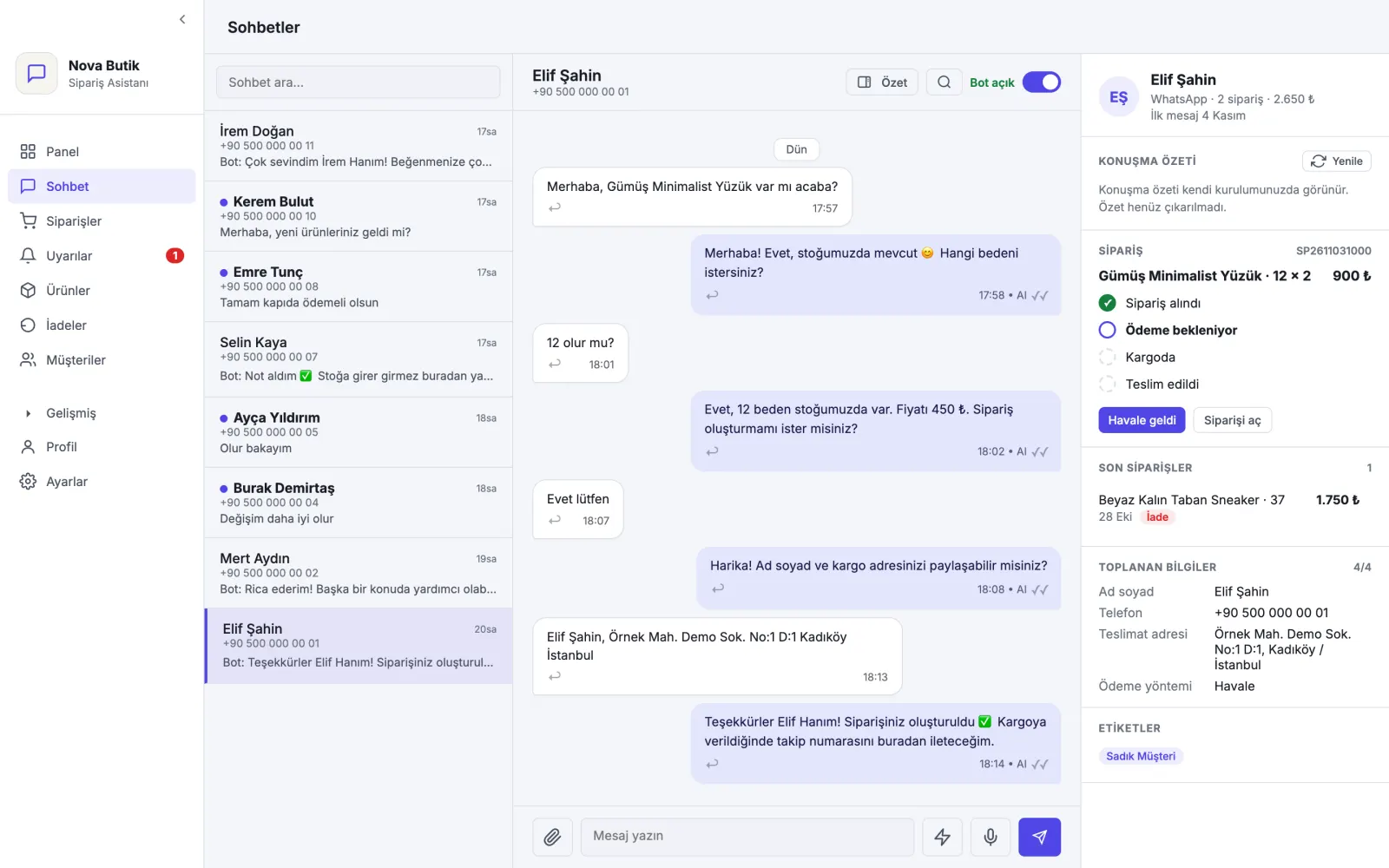
The order you gave in the chat lands on the business's screen like this: shipping, stock and turnover side by side.
Live · working right now
Tap a question or write your own
No time to type? Look at a short example with ready-made answers
- Assistant: Hello, welcome to Sample Bakery! How can I help you?
- Product
- bekleniyor
- Size
- bekleniyor
- Delivery
- bekleniyor
This is a sample demo; the businesses and conversations are not real.
Examples from systems we built
Sample data is used in the screenshots.
Order assistant chat screen
From a size question to an order: the assistant's replies are marked “AI”.
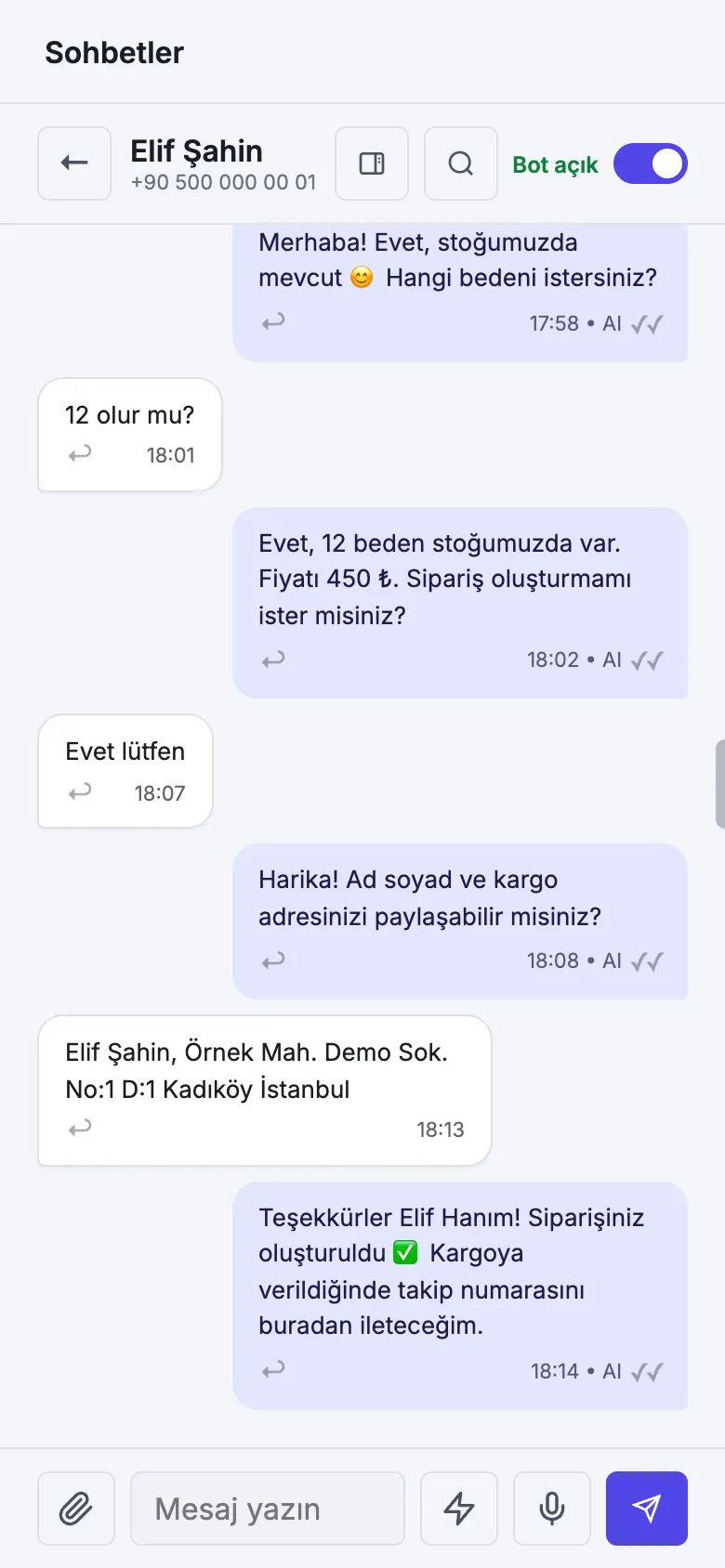
The interface shown is in Turkish; values are illustrative.
When does it help?
Messages that arrive after hours
A customer who writes in the evening has gone somewhere else by morning.
Always the same questions
Price, address, opening hours; your team's time goes to repeated answers.
Orders from messages get lost
An order left inside a conversation never makes it into the notebook.
What does it do?
Answers questions
It answers common questions such as price, hours, address and shipping, using your information.
Takes orders
It asks for the product, quantity and delivery; it writes the order into your panel.
Books appointments
It shows the free slots and puts the appointment in your calendar.
Hands over to you
Where it is not sure, or when the customer asks, it passes the conversation to you.
Where does it work?
WhatsApp
Your customer writes from the app they are used to.
Website
The same assistant answers in the chat window on your site.
Frequently asked questions
What if it gives a wrong answer?
The assistant speaks with the information you give it. For a question it doesn't know, it is set to hand the conversation to you instead of guessing.
Can I see the conversations?
Yes. Conversations stay in your panel; you can step in at any moment.
What happens after the form?
- Send your requestWrite your name, phone number and a few sentences about your business.
- Let us call youWe read your request and call you back; our questions are there to understand your business.
- Let's plan togetherWe look at your business together and talk about what would help and where to start.