
E-commerce software
Site, WhatsApp and Instagram orders in the same queue
If you have an online store, we set up the order assistant and the order panel next to it; if not, we choose the right one for your business together. Orders from Instagram and WhatsApp join the same queue.
Most orders now come by message
In small shops, customers often write on WhatsApp or Instagram rather than on the site. They ask the price, the size, the shipping; if the answer is late, they buy elsewhere.
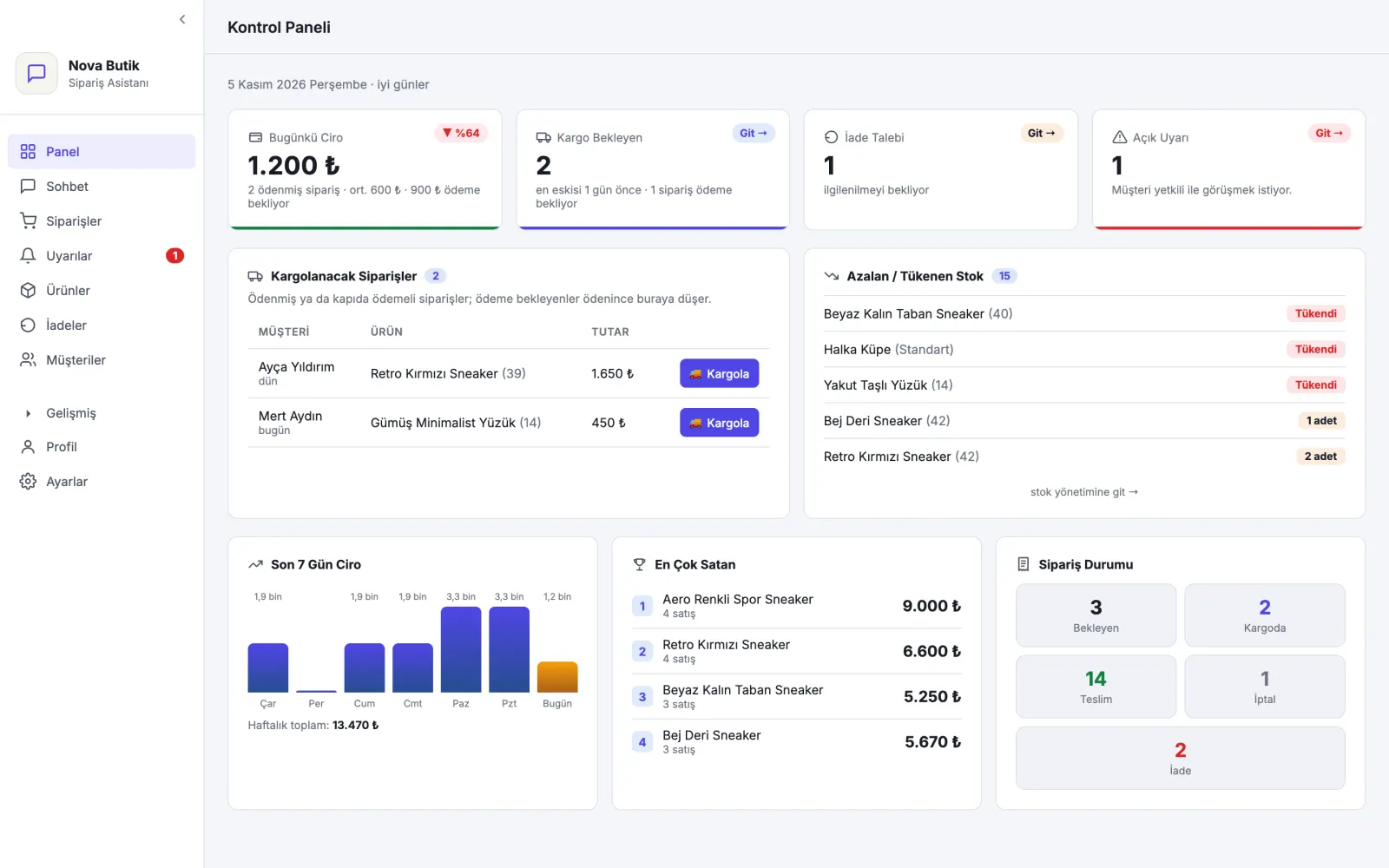
We set up an assistant that answers these messages and a panel that lines up the orders; you see what ships tonight without digging through old messages. Product and stock information comes from your existing store; you do not keep a separate ledger.
Working with us, step by step
- You do not have to leave your existing store
- The assistant learns your products with your rules
- You try it first from your own phone
- It asks you about what it does not know; it does not make things up
When does it help?
The stock in the store is wrong
A product sold in the shop still shows as available on the site.
Orders from messages stay separate
Instagram and WhatsApp orders are written in a separate notebook.
Shipping is prepared by hand
For every order, the details are typed into the shipping system one by one.
What we offer in e-commerce
Order assistant
An assistant on WhatsApp and on your site that knows your product: it answers the question and takes the order.
Learn moreOrder panel
New orders, orders waiting for payment and orders to ship, in separate tabs.
Payment tracking
Bank transfer notice and a secure payment link; when payment arrives, the order moves on.
Shipping and returns
You enter the tracking number when shipping; you do not write the message to the customer separately. Returns are handled from the panel.
Store connection
Product and stock come from your existing site; a WhatsApp order is passed to your site.
One customer list
A customer who shops on the site and by message appears in the same record.
Ready-made package or a setup built for you?
Both have their place. These questions show which one suits you.
Ready-made package or a setup built for you?: Tap for details
- Getting started
- Ready-made store package: Opens right away.
- A setup built for you: We listen to your business first, then set it up.
- Orders from messages
- Ready-made store package: Often stays in a separate notebook.
- A setup built for you: Lands in the same order list.
- Changes
- Ready-made store package: Whatever the package gives.
- A setup built for you: Added according to your needs.
- Who it suits
- Ready-made store package: Shops with few orders and a simple setup.
- A setup built for you: Growing shops that sell a lot by message.
- Getting started
- Ready-made store package: Opens right away.
- A setup built for you: We listen to your business first, then set it up.
- Orders from messages
- Ready-made store package: Often stays in a separate notebook.
- A setup built for you: Lands in the same order list.
- Changes
- Ready-made store package: Whatever the package gives.
- A setup built for you: Added according to your needs.
- Who it suits
- Ready-made store package: Shops with few orders and a simple setup.
- A setup built for you: Growing shops that sell a lot by message.
How it works with your current site
How it works with your current site: Tap for details
Tap a step and your choice is written into the quote form.
Getting to know you
We listen to how you sell and where orders come from.
Connection
We connect the product and stock information in your existing store.
Teaching
We teach the assistant your price, shipping and payment rules.
Testing
You talk to the assistant from your own phone and correct the answers.
Launch and follow-up
It opens to your customers; you correct any answer you do not like from the panel.
Tap a step and your choice is written into the quote form.
Getting to know you
We listen to how you sell and where orders come from.
Connection
We connect the product and stock information in your existing store.
Teaching
We teach the assistant your price, shipping and payment rules.
Testing
You talk to the assistant from your own phone and correct the answers.
Launch and follow-up
It opens to your customers; you correct any answer you do not like from the panel.
You do not have to leave your existing store
For most shops, the right way is to add the assistant and the order panel next to today's store. If you need a store from scratch, we talk about that together too.
- Ticimax
- ikas
Frequently asked questions
Will my current site close?
No. The assistant and the order panel are set up next to your existing store.
What happens after the form?
- Send your requestWrite your name, phone number and a few sentences about your business.
- Let us call youWe read your request and call you back; our questions are there to understand your business.
- Let's plan togetherWe look at your business together and talk about what would help and where to start.